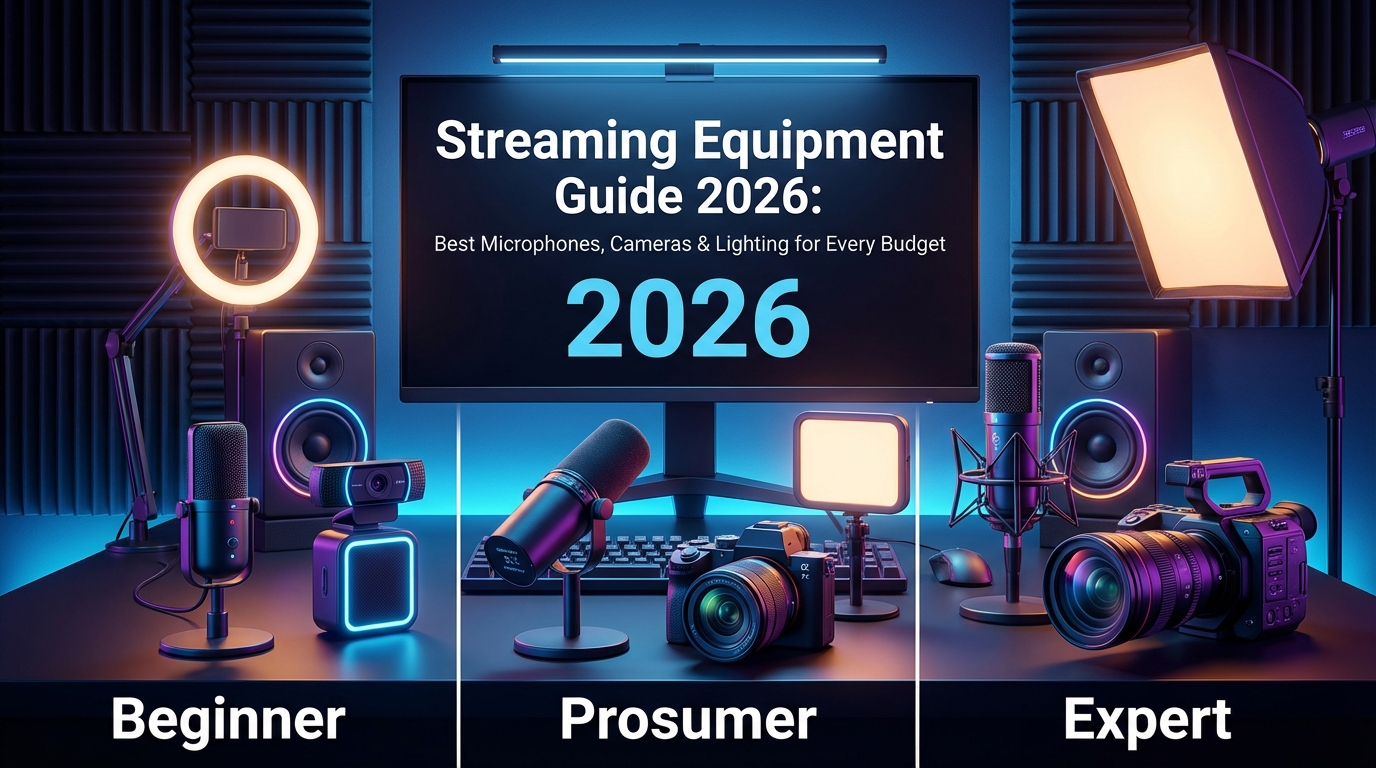
Streaming Equipment Guide 2026: Best Microphones, Cameras & Lighting for Every Budget

The complete 2026 guide to streaming equipment. Detailed reviews of the best microphones (Elgato Wave:3, Shure SM7B), cameras (Elgato Facecam, Sony ZV-E10), and lighting (Key Light) for Twitch, YouTube, and Kick streamers at every price point.
Streaming Equipment Guide 2026: Best Microphones, Cameras & Lighting for Every Budget
Your streaming equipment determines whether viewers stay or click away in the first 10 seconds. In this comprehensive guide, I'll review the best microphones, cameras, and lighting setups for streamers in 2026 — from budget-friendly starter kits under $100 to professional broadcast setups used by top creators on Twitch, YouTube, and Kick.
Published: February 2026 · Equipment Reviews · 18 min read
Why Equipment Matters (And When It Doesn't)
Let's be clear: no equipment will save boring content. But poor audio or video quality creates an immediate barrier that prevents viewers from ever discovering whether your content is worth watching.
Here's the hierarchy of what actually matters for stream quality:
Before buying any equipment, make sure your OBS settings are optimized. The best camera in the world looks terrible with wrong encoder settings.
Streaming Setup Cost Calculator
Use this interactive calculator to build your ideal streaming setup and see the total investment required. Select items from each category to calculate your complete setup cost.
Microphone
Camera
Lighting
Accessories (Optional)
Best Streaming Microphones 2026
Audio quality has the highest impact on viewer retention. These are the best microphones for streaming at every price point, tested and ranked by actual streamers.
Budget Tier: $25 – $70
Perfect for streamers just starting out or those who want decent audio without breaking the bank.
Fifine K669B
$26Best ValueThe Fifine K669B has become the go-to recommendation for budget streamers, and for good reason. At just $26, it delivers audio quality that genuinely surprises — clear mids, minimal self-noise, and a cardioid pattern that rejects background noise reasonably well.
Pros: Unbeatable price-to-performance ratio, solid metal construction, includes tripod stand, volume knob on mic body.
Cons: Picks up keyboard noise without proper positioning, tripod is short (desk boom arm recommended), no headphone monitoring.
Verdict: If you're streaming with $0 audio equipment right now, this $26 upgrade will transform your stream. It's the minimum viable microphone for serious streaming.
Razer's Seiren Mini proves that good things come in small packages. The supercardioid polar pattern is tighter than standard cardioid, meaning it picks up less room noise and keyboard clatter.
Pros: Incredibly compact footprint, excellent off-axis rejection, premium build quality, shock mount included, attractive aesthetics.
Cons: No gain control (rely on Windows/OBS), no headphone jack, proprietary stand connection limits mounting options.
Verdict: Perfect for streamers with limited desk space or those who value aesthetics. The tighter pickup pattern makes it more forgiving of noisy environments.
The HyperX SoloCast is the budget tier's top performer. It's the mic that makes people ask "wait, that's only $60?" The audio quality genuinely competes with mics twice its price.
Pros: Exceptional clarity for price, tap-to-mute with LED indicator, flexible tilt stand, certified for Discord/TeamSpeak/Zoom, excellent build quality.
Cons: No gain control, no headphone monitoring, stand isn't as adjustable as competitors.
Verdict: The best overall budget microphone for streaming. If you have $60, this is where your money should go. The tap-to-mute feature alone is worth the upgrade from cheaper options.
Mid-Range Tier: $80 – $180
Where most streamers should land. These microphones deliver broadcast-quality audio that rivals professional setups from just a few years ago.
The Elgato Wave:3 is purpose-built for streamers, and it shows. The standout feature is Clipguard technology — a hardware-level anti-distortion system that prevents audio clipping even when you yell at a jumpscare or celebrate a win.
Pros: Clipguard prevents distortion, Wave Link software for advanced mixing, capacitive mute button, real-time monitoring via headphone jack, integrates with Stream Deck, exceptional clarity and presence.
Cons: Wave Link software has a learning curve, proprietary mounting system (adapters available), premium price for USB mic.
Verdict: The best USB microphone for streaming, period. Clipguard alone justifies the price — never worry about audio clipping during intense moments again. The Stream Deck integration and Wave Link software make this a true streamer's microphone.
The AT2020USB+ is the USB version of Audio-Technica's legendary AT2020 — a microphone that's been a studio staple for decades. It delivers that classic warm, detailed sound signature that works beautifully for both voice and music.
Pros: Industry-standard sound quality, built-in headphone jack with mix control, extremely durable, flat frequency response for accurate reproduction.
Cons: Older USB-A connection, no software integration, requires good mic technique (very transparent — picks up everything).
Verdict: If you want pure audio quality without gaming-focused features, the AT2020USB+ delivers. It's the choice for streamers who prioritize sound over software integration.
The Rode PodMic USB is the ultimate "grow with you" microphone. It works as a simple USB mic out of the box, but includes XLR output for when you're ready to upgrade to an audio interface setup. The dynamic capsule excels at rejecting room noise.
Pros: Dual USB/XLR connectivity, excellent room noise rejection, broadcast-quality sound, internal pop filter, revolutionary Rode APHEX processing (via USB), rugged all-metal build.
Cons: Requires boom arm (heavy mic), needs more gain than condensers, less "airy" high-end than condensers.
Verdict: Perfect for streamers in noisy environments (mechanical keyboards, roommates, traffic). The dual connectivity means you'll never outgrow this mic.
Professional Tier: $200 – $400
For streamers ready to invest in XLR setups. These require an audio interface but deliver uncompromising broadcast quality.
The Shure SM7B is the microphone you see in every professional podcast studio, major Twitch stream, and radio station. Michael Jackson recorded "Thriller" on this mic. It's the gold standard for broadcast vocals.
Pros: Legendary warm, rich sound, exceptional electromagnetic interference rejection, nearly indestructible, switchable bass rolloff and presence boost, looks iconic.
Cons: Requires significant gain (need Cloudlifter or high-gain interface), heavy (requires quality boom arm), total setup cost is $500+ with accessories.
Verdict: If budget allows and you're committed to streaming, the SM7B is the endgame microphone. It's the "buy it once, never think about it again" option. Your voice will sound like a professional broadcast.
The Rode NT1 5th Generation holds the world record for lowest self-noise in a studio condenser. At just 4dB, you'll hear detail in your voice you never knew existed. The dual connectivity makes it versatile for any setup.
Pros: Impossibly low self-noise, stunning detail and clarity, dual USB/XLR, 32-bit float recording via USB, premium shock mount included, 10-year warranty.
Cons: Very sensitive (picks up everything in quiet rooms), large diaphragm size, requires treated room to shine, condensers need more care than dynamics.
Verdict: The best condenser microphone for streaming if you have a reasonably quiet environment. The detail and presence are breathtaking. 32-bit float recording via USB is a game-changer for content repurposing.
The Earthworks ICON Pro is a secret weapon among professional broadcasters. Its incredibly tight 15° pickup angle means it only captures what's directly in front of it — keyboard noise, room echo, air conditioning all virtually disappear.
Pros: Extraordinary off-axis rejection, condenser clarity with dynamic-like isolation, broadcast-standard frequency response, sleek low-profile design.
Cons: Requires precise positioning, premium price, lesser known brand (though industry respected), XLR only.
Verdict: For streamers in challenging acoustic environments who want condenser clarity, the ICON Pro is unmatched. It's what professionals use when SM7B isn't isolating enough.
Best Streaming Cameras 2026
Your camera is your viewers' window into your world. While audio matters more for retention, visual quality creates the first impression. Here are the best cameras for streaming at every budget.
Budget Tier: $50 – $100
The Logitech C920 has been the budget webcam recommendation for nearly a decade — and it still holds up. It's the minimum viable camera for streaming, delivering 1080p quality that looks good with proper lighting.
Pros: Reliable and proven, excellent software support, automatic light correction, dual mics (backup audio), universal mounting.
Cons: Limited to 30fps at 1080p, struggles in low light, older sensor technology, plastic construction.
Verdict: If you need a webcam now and have $65, the C920 won't let you down. It's the safe choice — not exciting, but reliable and proven by millions of streamers.
The Razer Kiyo's killer feature is the built-in ring light — a solution for streamers who don't have dedicated lighting. The ring light provides soft, flattering illumination that eliminates harsh shadows on your face.
Pros: Integrated ring light solves lighting problems, 60fps at 720p for smoother motion, easy setup, adjustable brightness.
Cons: Ring light visible as catchlight in eyes, 1080p limited to 30fps, light isn't removable, image quality average for price.
Verdict: An all-in-one solution for streamers who can't add separate lighting. The convenience factor is real — one device, one cable, decent results. Best for minimal setups.
Mid-Range Tier: $130 – $200
The Elgato Facecam was designed specifically for streamers — and it shows. It's the first webcam built from the ground up for content creation, not video calls. The Sony STARVIS sensor handles low-light beautifully, and the Camera Hub software provides DSLR-level control.
Pros: Exceptional 60fps quality, professional color science, uncompressed video output (no onboard processing artifacts), Camera Hub software with granular controls, settings saved to device (works on any PC), premium glass lens.
Cons: No autofocus (manual focus only, but locks precisely), no built-in microphone, fixed-focus requires initial setup.
Verdict: The best webcam for streaming. Period. The lack of autofocus is actually a feature — it never hunts or refocuses mid-stream. Camera Hub gives you control that previously required a mirrorless camera.
The Logitech Brio 4K is the premium option from the webcam giant. While 4K streaming isn't practical for Twitch, the extra resolution gives you room to crop and zoom without quality loss. HDR support provides more dynamic range in challenging lighting.
Pros: 4K recording for content repurposing, HDR support, adjustable FOV, Windows Hello compatible, RightLight 3 for excellent auto-exposure.
Cons: 4K is wasted on streaming, aggressive noise reduction softens image, infrared sensors visible as dots, older design.
Verdict: Best for creators who stream AND record separate YouTube content. The 4K gives flexibility for editing. For streaming-only, the Facecam is better at 1080p60.
Professional Tier: $400+
The Sony ZV-E10 II is purpose-built for content creators. It delivers that coveted "cinematic" look with beautiful background blur (bokeh) that's impossible to achieve with webcams. The Real-time Eye AF keeps you perfectly focused even when moving.
Pros: Cinematic depth of field, interchangeable lenses, industry-leading autofocus, flip-out screen, no recording limit, USB streaming mode (no capture card needed for basic use).
Cons: Significant investment ($1200+ with lens), requires dummy battery for long sessions, more complex setup, overkill for most streamers.
Verdict: The endgame camera for streamers who want that premium production value. If you see a stream with that "why does their camera look so much better" quality — it's probably a mirrorless camera like this.
The Facecam Pro is what happens when you take everything great about the original Facecam and add 4K60 and autofocus. It's the only webcam that can genuinely compete with entry-level mirrorless cameras — without the complexity.
Pros: True 4K60 uncompressed, fast phase-detection autofocus, exceptional low-light via STARVIS 2 sensor, all settings saved onboard, Camera Hub integration.
Cons: Premium price for a webcam, 4K60 requires USB 3.0 and significant bandwidth, still won't match mirrorless depth of field.
Verdict: The best webcam money can buy. If you want top-tier quality without the complexity of a mirrorless setup, this is your answer. The STARVIS 2 sensor is phenomenal in any lighting condition.
Best Streaming Lighting 2026
Lighting has more impact on how your camera looks than the camera itself. A $50 webcam with proper lighting beats a $200 webcam in a dark room every time. Here's how to light your stream properly.
Budget Tier: $20 – $60
Neewer 10" Ring Light
$26Best BudgetRing lights became the go-to budget lighting solution for good reason — they provide soft, even illumination that's incredibly flattering for faces. The Neewer 10" delivers this effect at an absurdly low price.
Pros: Very affordable, soft flattering light, adjustable color temperature, USB powered (no outlet needed), includes stand.
Cons: Distinctive ring catchlight in eyes (not everyone likes this), 10" is small for sole key light, plastic construction.
Verdict: The cheapest way to dramatically improve your stream's visual quality. Perfect for getting started — you can always upgrade later.
The Litra Glow is designed to clip directly onto your monitor — no separate stand needed. It's the most convenient lighting solution for desk-bound streamers who don't want tripods cluttering their space.
Pros: Clips to any monitor, TrueSoft technology diffuses light beautifully, wide color temperature range, G Hub software integration, very compact.
Cons: 250 lumens isn't super bright, needs to be close to face for best effect, pricey for output.
Verdict: Perfect for minimalist setups. The convenience of monitor mounting means you'll actually use it every stream. Software integration is nice for quick adjustments.
Mid-Range Tier: $100 – $200
The Key Light Mini packs serious output into a portable form factor. At 800 lumens, it's significantly brighter than the Litra Glow while maintaining the convenience of a compact panel. Integration with Stream Deck makes adjustments effortless mid-stream.
Pros: 800 lumens is genuinely bright, excellent color accuracy, Stream Deck integration, battery option for portability, built-in diffusion, desk clamp included.
Cons: Premium price for single light, battery sold separately, needs companion for fill light.
Verdict: The best single key light for streaming. Bright enough to be your only light, flexible enough to integrate into larger setups. Stream Deck control is a game-changer.
Two Key Light Airs give you a complete key + fill lighting setup that rivals professional video production. The WiFi control means no cables between lights — set scenes, adjust on the fly, and integrate with your streaming workflow seamlessly.
Pros: Complete 2-light setup, 1400 lumens each is very bright, WiFi control from anywhere, Stream Deck scenes, professional edge-lit diffusion, desk clamps included.
Cons: Significant investment, WiFi setup can be finicky, takes up desk edge space.
Verdict: The "set it and forget it" lighting solution for streamers who want to stop thinking about lighting. Two Key Light Airs properly positioned will make any webcam look dramatically better.
Professional Tier: $200+
The full-size Elgato Key Lights are studio-grade panels that provide absolutely beautiful, soft illumination. At 2800 lumens each, they can light an entire room or be dimmed for subtle fill. The large panel size creates soft, wraparound light that's incredibly flattering.
Pros: 2800 lumens is extremely bright, large panel = soft light, pole mount keeps desk clear, WiFi control, Stream Deck integration, can light background too.
Cons: Requires desk mounting poles, large panels are visually imposing, premium investment, may be overkill for small spaces.
Verdict: The lighting setup you see in every professional studio. If you have the space and budget, two Key Lights will give you lighting that rivals television broadcasts.
The Aputure MC Pro is a professional-grade RGB pocket light that's perfect for accent and background lighting. Want that colored glow behind you? Backlight your shelf? Create mood lighting that matches your brand? This is the tool.
Pros: Full RGB spectrum, cinema-grade color accuracy (TLCI 96+), magnetic mounting, battery powered, Sidus Link app control, stackable for more output.
Cons: Small light = accent only (not key light), premium price for size, battery life limits long sessions.
Verdict: The premium choice for accent lighting. If you want that polished, designed look with colored backdrops or rim lights, the MC Pro delivers professional results.
Essential Streaming Accessories
Beyond the core microphone, camera, and lighting, these accessories complete your setup and make streaming more comfortable and professional.
Boom Arms
Rode PSA1+
$130The gold standard for microphone boom arms. Smooth movement, rock-solid construction, holds heavy mics like SM7B effortlessly. Internal cable routing keeps things clean.
Elgato Wave Mic Arm LP
$100Low-profile design stays below camera line. Perfect for streamers who want their mic close but invisible on camera. Cable channel built-in.
TONOR T20
$26Budget-friendly option that gets the job done. Holds most USB mics securely. Springs are visible but it's hard to beat at this price point.
Audio Interfaces (for XLR Microphones)
Focusrite Scarlett Solo
$130The entry-level interface that doesn't compromise. Clean preamps, zero latency monitoring, rock-solid drivers. Perfect for single-mic setups.
Elgato Wave XLR
$160Built for streamers with 75dB gain (enough for SM7B without Cloudlifter), tap-to-mute, capacitive dial, and Wave Link integration.
GoXLR Mini
$200All-in-one audio mixer with hardware mute, faders, and voice effects. Perfect for streamers who want physical controls without the full GoXLR.
Green Screens
Elgato Green Screen
$160Collapsible, pneumatic design pops up in seconds. Wrinkle-resistant chroma key material. Collapses into case when not streaming.
Elgato Green Screen MT
$200Wall/ceiling mountable version that pulls down like a window shade. Always ready, never in the way. Best for dedicated streaming spaces.
Neewer 6x9ft Green Screen
$20Budget fabric option. Requires stand or mounting but covers large area. Iron out wrinkles for best chroma key results.
Stream Decks
Elgato Stream Deck MK.2
$15015 customizable LCD keys for scene switching, sound effects, commands, and integrations. The most useful streaming accessory you can buy.
Elgato Stream Deck +
$2008 LCD keys plus 4 rotary dials with touch strips. Perfect for audio control — dial in mic gain, music volume, and lighting on the fly.
Elgato Stream Deck Neo
$1008 LCD keys in a compact form factor. Great starter Stream Deck if you're not sure you need 15 buttons.
Budget Setup Recommendations
Not sure how to allocate your budget? Here are complete setup recommendations at different price points, optimized for the best overall stream quality.
Our recommendation: The $400 "Quality" tier offers the best return on investment. This is where you get professional-grade results without overspending. The jump from $400 to $800+ provides diminishing returns — that money is often better spent on content, games, or marketing.
Frequently Asked Questions
What is the best microphone for streaming on Twitch in 2026?
For most Twitch streamers, the Elgato Wave:3 ($150) is the best microphone in 2026. It delivers broadcast-quality audio with USB convenience, and its Clipguard technology prevents distortion during loud moments — essential for gaming reactions. If budget is a concern, the HyperX SoloCast ($60) offers exceptional value and sounds far better than its price suggests. For streamers ready to invest in XLR, the Shure SM7B ($399) remains the industry standard, though you'll need an audio interface with at least 60dB of gain (like the Elgato Wave XLR or a Cloudlifter + Focusrite Scarlett). The key factors for choosing a streaming microphone are: cardioid pickup pattern (rejects background noise), USB connectivity for simplicity, and either dynamic capsule (noisy rooms) or condenser (quiet spaces).
What streaming equipment do I need as a beginner?
As a beginner streamer, you need three core pieces of equipment: a microphone (most important), a webcam, and lighting. Start with a budget-friendly setup around $150 total: HyperX SoloCast microphone ($60), Logitech C920 webcam ($65), and a Neewer ring light ($26). This setup will produce professional-enough quality to grow an audience. Many successful streamers started with less. Don't fall into the trap of thinking you need expensive equipment to start — content and personality matter far more than production value when you're new. Upgrade equipment gradually as your channel grows and generates revenue. The most important beginner investment is actually software: make sure your OBS settings are optimized before spending money on hardware.
How much does a streaming setup cost?
A streaming setup costs anywhere from $100 to $2,000+ depending on your goals. Here's the breakdown: Budget starter ($100-150): USB microphone + basic webcam + ring light — sufficient for getting started. Quality mid-range ($350-500): Elgato Wave:3 + Elgato Facecam + Key Light Mini — professional results that compete with top streamers. Professional ($800-1200): XLR microphone + audio interface + premium webcam or mirrorless camera + 2-light setup — broadcast-level quality. Elite ($2000+): SM7B + GoXLR + Sony mirrorless + full lighting rig — top 1% production value with diminishing returns. Most streamers find the sweet spot around $400, which delivers 90% of professional quality at a fraction of the cost. Use our calculator above to build your ideal setup.
What camera should I use for streaming?
For streaming, your camera choice depends on budget and quality expectations. The Elgato Facecam ($150) is the best webcam for streaming — it outputs true 1080p60 with a Sony STARVIS sensor that handles low light beautifully. Budget option: Logitech C920 ($65) is reliable and proven, though limited to 1080p30. Premium webcam: Elgato Facecam Pro ($300) delivers 4K60 with exceptional low-light performance. If you want the "cinematic" look with background blur, you'll need a mirrorless camera like the Sony ZV-E10 II ($900+) with a capture card. Remember: lighting has more impact on how your camera looks than the camera itself. A $50 webcam with proper lighting beats a $200 webcam in a dark room. Prioritize lighting before upgrading your camera.
What is the best lighting for streaming?
The best lighting for streaming is a 2-point key and fill setup with adjustable color temperature (2700K-6500K). For most streamers, the Elgato Key Light Mini ($100) as a key light delivers excellent results — it's bright (800 lumens), has great color accuracy, and integrates with Stream Deck for easy adjustments. Budget option: a Neewer ring light ($26) provides soft, flattering light that dramatically improves webcam quality. Professional setup: Two Elgato Key Light Airs ($260) give you complete control with WiFi-controlled panels. Positioning matters more than equipment: place your key light behind your monitor, slightly above eye level, at a 45° angle to your face. This single light will improve your stream more than any camera upgrade. For best results, add a fill light on the opposite side at 50% brightness to soften shadows.
Should I get a USB or XLR microphone for streaming?
For most streamers in 2026, USB microphones are the better choice. Modern USB mics like the Elgato Wave:3 and Rode NT1 5th Gen deliver quality that rivals XLR setups at a fraction of the complexity and cost. USB advantages: plug-and-play setup, no additional equipment needed, built-in processing, and easier troubleshooting. XLR advantages: higher potential quality ceiling, upgrade path (swap mic or interface independently), more professional audio controls, and wider mic selection. Choose XLR if: you're in a noisy environment (dynamic XLR mics like SM7B reject noise better), you want physical audio controls (mixer/interface), or you plan to do professional audio work beyond streaming. Choose USB if: you want simplicity, don't want to learn audio engineering, or budget is a consideration (USB eliminates $100-300 interface cost). The hybrid option: Rode PodMic USB ($179) offers both USB and XLR connections — start with USB, upgrade to XLR later.
Do I need a capture card for streaming?
You only need a capture card for streaming console gameplay (PlayStation, Xbox, Nintendo Switch) or when using a mirrorless/DSLR camera. For PC gaming, you don't need a capture card — OBS captures games directly. For console streaming, the Elgato HD60 X ($200) is the best option, supporting 4K60 HDR passthrough with 1080p60 capture. For mirrorless cameras, you may not need one either — many modern cameras like the Sony ZV-E10 have USB streaming mode that outputs directly to OBS. However, a capture card often provides better quality and lower latency than USB streaming mode. If using a mirrorless camera heavily, the Elgato Cam Link 4K ($130) is a simple solution that converts HDMI to USB. For dual-PC setups, you'll need a capture card on the streaming PC to receive video from the gaming PC — the Elgato 4K60 Pro MK.2 ($250) is the professional choice with PCIe installation.
What equipment do professional Twitch streamers use?
Professional Twitch streamers typically use: Microphone: Shure SM7B ($399) with Cloudlifter and GoXLR, or Earthworks ICON Pro for tight isolation. Camera: Sony ZV-E10 II or Sony A7 IV mirrorless cameras with 24-70mm lenses and Elgato Cam Link capture cards. Lighting: Elgato Key Light panels (2-4 units) for key and fill, plus Aputure MC or Nanoleaf panels for RGB accent lighting. Audio: GoXLR or Rodecaster Pro II for mixing and effects. Stream Control: Elgato Stream Deck XL (32 keys) for scene switching, sound effects, and integrations. Green Screen: Elgato Green Screen MT (wall-mounted pull-down). However, many top streamers started with basic equipment and upgraded gradually. Production value helps, but personality and content matter far more — plenty of successful streamers use mid-range gear like the Elgato Wave:3 and Facecam.
How do I reduce background noise in my stream?
Reducing background noise involves both equipment choices and software processing. Equipment solutions: Use a dynamic microphone (like Rode PodMic or Shure SM7B) instead of a condenser — dynamics naturally reject room noise. Position your mic closer to your mouth (6-12 inches) and use a boom arm to get it off your desk (reduces vibration noise). Use a shock mount to isolate handling noise. Software solutions: In OBS, add a Noise Suppression filter (use RNNoise method for best results). Add a Noise Gate to cut audio when you're not speaking. The Elgato Wave:3 and mics with built-in processing handle noise automatically. Room treatment: Add soft furnishings (rugs, curtains, acoustic panels) to reduce room echo. Close windows and doors during streams. Use a quiet mechanical keyboard (linear switches) or membrane keyboard if your mic picks up keystrokes. The best solution is usually: dynamic mic + boom arm + RNNoise filter.
What is the best budget webcam for Twitch streaming?
The best budget webcam for Twitch streaming in 2026 is the Logitech C920 ($65) — it's been the reliable workhorse for years and delivers solid 1080p30 quality that looks good with proper lighting. Runner-up: Razer Kiyo ($85) includes a built-in ring light, making it perfect for streamers who can't add separate lighting. The ring light provides soft, flattering illumination that significantly improves image quality over the C920 in typical room lighting. Another option: NexiGo N60 ($40) delivers 1080p quality at an even lower price point, though with less refined auto-exposure. Important note: budget webcams are highly dependent on lighting. A $65 C920 with a $26 ring light will look dramatically better than a $150 webcam in a dark room. If you're buying a budget webcam, allocate at least $20-50 for lighting too. The real upgrade path: save for the Elgato Facecam ($150) — the jump in quality is significant and you won't need to upgrade again.
Do I need a green screen for streaming?
You don't need a green screen for streaming — it's an optional accessory that enables background removal. Without a green screen, you have two options: show your real background (many successful streamers do this with styled setups including LED lights, shelving, and decor), or use NVIDIA Broadcast or OBS background removal which use AI to remove backgrounds without physical green screens. AI removal works well but can have edge artifacts around hair and fast movements. If you want clean background removal, a green screen helps: the Elgato Green Screen ($160) collapses and stores easily, while the Elgato Green Screen MT ($200) mounts to your wall and pulls down like a window shade. Budget option: a $20 Neewer fabric green screen works fine but requires a stand and ironing out wrinkles. For green screen to work well, you need even lighting on the screen itself (separate from your face lighting) to avoid shadows that confuse the chroma keyer. Consider whether you actually want to hide your space or if a styled background adds personality to your stream.
What audio interface should I get for streaming?
For streaming with XLR microphones, these are the best audio interfaces: Budget: Focusrite Scarlett Solo ($130) — clean preamps with 56dB gain, proven reliability, excellent driver support. Works for most microphones but may need a Cloudlifter for gain-hungry mics like SM7B. Best for streamers: Elgato Wave XLR ($160) — designed specifically for streaming with 75dB gain (enough for SM7B without Cloudlifter), capacitive mute button, and Wave Link software integration. All-in-one: GoXLR Mini ($200) — includes fader controls, hardware mute, voice effects, and mixing for game/voice/music. Professional: Rodecaster Pro II ($650) — podcast/streaming mixer with multiple XLR inputs, sound pads, effects, and broadcast-grade preamps. For most streamers, the Elgato Wave XLR is the sweet spot — it has enough gain for any microphone, integrates with Stream Deck, and the mute button is perfectly placed. If you want physical faders, the GoXLR Mini adds tactile controls at a reasonable premium.
How do I get that blurry background look on my stream?
The "blurry background" look (called bokeh or shallow depth of field) requires specific equipment — it cannot be achieved with webcams. You need: a mirrorless or DSLR camera with a large sensor (APS-C or full-frame), plus a lens with a wide aperture (f/1.8 or wider). Best budget option: Sony ZV-E10 II ($900) with the kit lens or a 35mm f/1.8 lens ($250) — this creates beautiful background blur while keeping you in sharp focus. Setup requirements: you'll need either a capture card (Elgato Cam Link 4K, $130) or use the camera's USB streaming mode to get the video into OBS. You'll also need a dummy battery for extended streaming sessions, as real batteries drain quickly. Cheaper alternatives: NVIDIA Broadcast has a "background blur" feature that simulates bokeh using AI — it's not as natural-looking as optical blur but works with any webcam. Some webcams like the Insta360 Link have built-in AI blur. For true cinematic quality though, a mirrorless camera is the only real solution.
What is the best boom arm for a streaming microphone?
The best boom arm for streaming depends on your microphone's weight: For heavy mics (SM7B, Rode PodMic): The Rode PSA1+ ($130) is the gold standard — smooth movement, holds up to 2.4kg, internal cable routing, and lifetime warranty. The original PSA1 ($100) is also excellent if you don't need the upgraded tension system. For medium-weight USB mics: The Elgato Wave Mic Arm LP ($100) has a unique low-profile design that keeps the arm below your camera line. Perfect for streamers who want the mic close but invisible on camera. Budget option: The TONOR T20 ($26) handles most USB microphones adequately — visible springs but solid construction for the price. For standing desks: The Rode PSA1+ with desk clamp handles height changes well. Avoid cheap boom arms for heavy mics — they sag over time and require constant adjustment. The key features to look for: weight capacity (match to your mic), reach (28"+ recommended), internal cable routing (cleaner look), and clamp quality (protects your desk).
Is streaming equipment tax deductible?
Yes, streaming equipment can be tax deductible as a business expense if you're streaming as a business (not just a hobby). In the US, you can deduct streaming equipment on Schedule C if streaming is your trade or business, or if you have genuine profit intent. Deductible items include: microphones, cameras, lighting, computers used primarily for streaming, capture cards, Stream Decks, furniture (desk, chair), software subscriptions, and even a portion of your home internet. Important distinctions: if streaming is a hobby (no profit motive, doing it for fun), deductions are limited. The IRS looks at factors like: do you stream regularly, have you made profit in previous years, do you track income/expenses, and do you operate in a "businesslike manner"? For equipment over $2,500, you may need to depreciate over several years rather than deduct fully in year one (though Section 179 allows full deduction in many cases). Consult a tax professional familiar with content creator income — streaming taxes are complex and vary by location. Keep all receipts and document business use percentage for shared equipment.
Final Thoughts
The best streaming equipment is equipment you'll actually use consistently. A modest setup that's ready to go beats a complex professional rig that discourages you from going live.
Start with audio — it has the highest impact on viewer retention. Add lighting next — it transforms any camera's image quality. Then upgrade your camera when budget allows. Accessories like boom arms and Stream Decks are quality-of-life improvements that make streaming more enjoyable.
Remember: content and personality matter far more than production value. Many of Twitch's biggest streamers built their audiences on modest equipment. Use the calculator above to plan your ideal setup, but don't let "not having the right gear" stop you from starting.
Once your equipment is set up, optimize your OBS settings to get the most out of your hardware, then focus on growing your audience and monetizing your streams.
About the Author
This article was written and published by Jonas Wöber. Jonas is the founder of StreamPlacements, a platform that helps creators monetize their streams through smart, non-intrusive sponsorships. As a Twitch Partner and long-time content creator, he shares practical insights on streaming growth, creator income strategies, and online business development.